This article guides you through the process of connecting Firebase to Peaka, allowing you to seamlessly access your Firebase data within the Peaka platform.
Prerequisites
Before you start, you will need the following information from Firebase.
- Service Account JSON
Follow the steps below to obtain it:
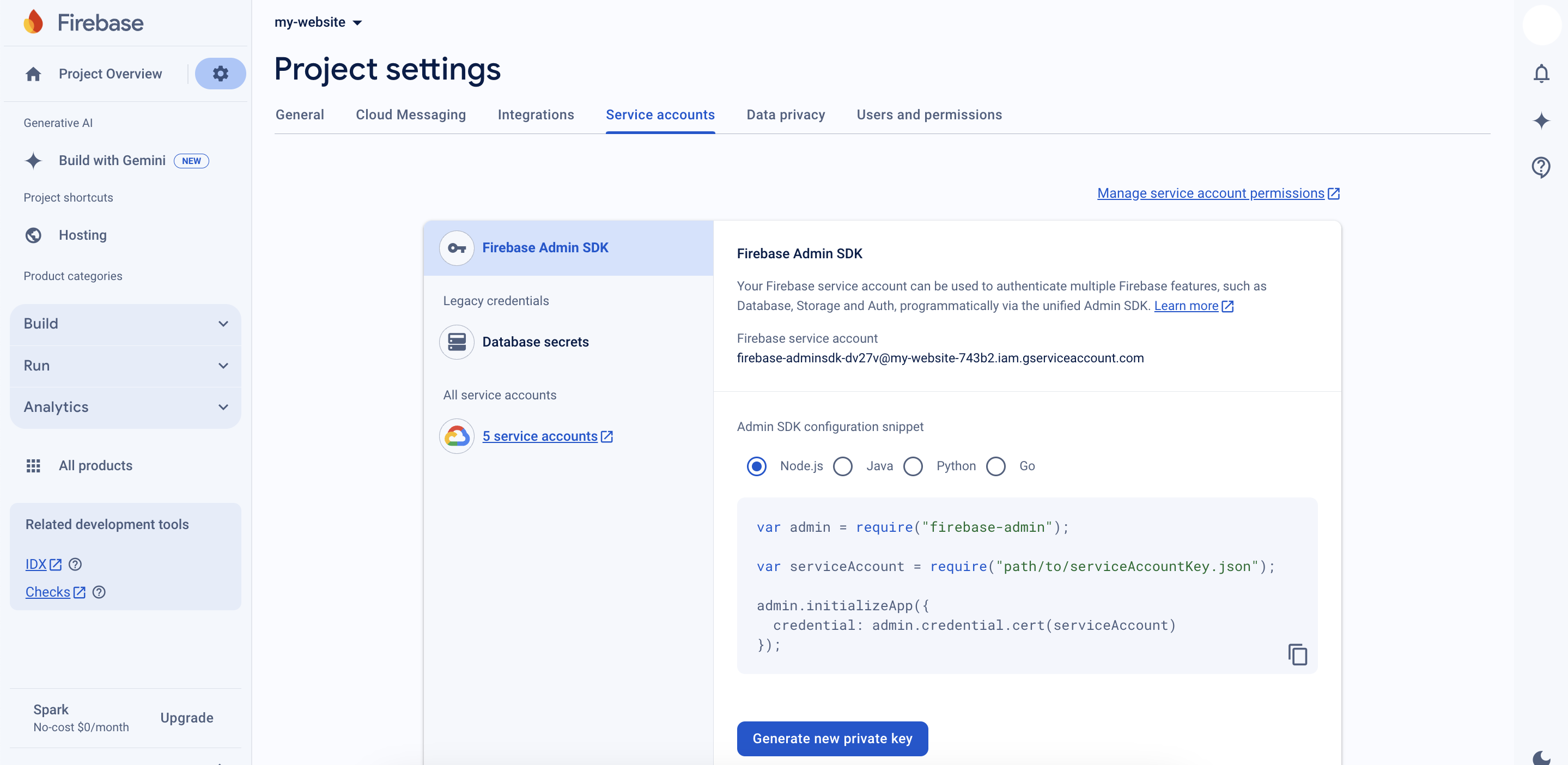
- To obtain the Service Account JSON, navigate to the Firebase Console, go to the "Project Settings" page, select the "Service Accounts" tab, and click on "Generate New Private Key." This will download a JSON file containing your service account credentials.
Connecting Firebase to Peaka
-
Navigate to the data model page in Peaka.
-
In the side menu bar, click the "New Data Source" button to initiate the connection process.
-
In the modal that appears, select "Firebase" as your data source.
-
Enter a name for your data source.
-
Upload the Service Account JSON file you downloaded in the previous step.
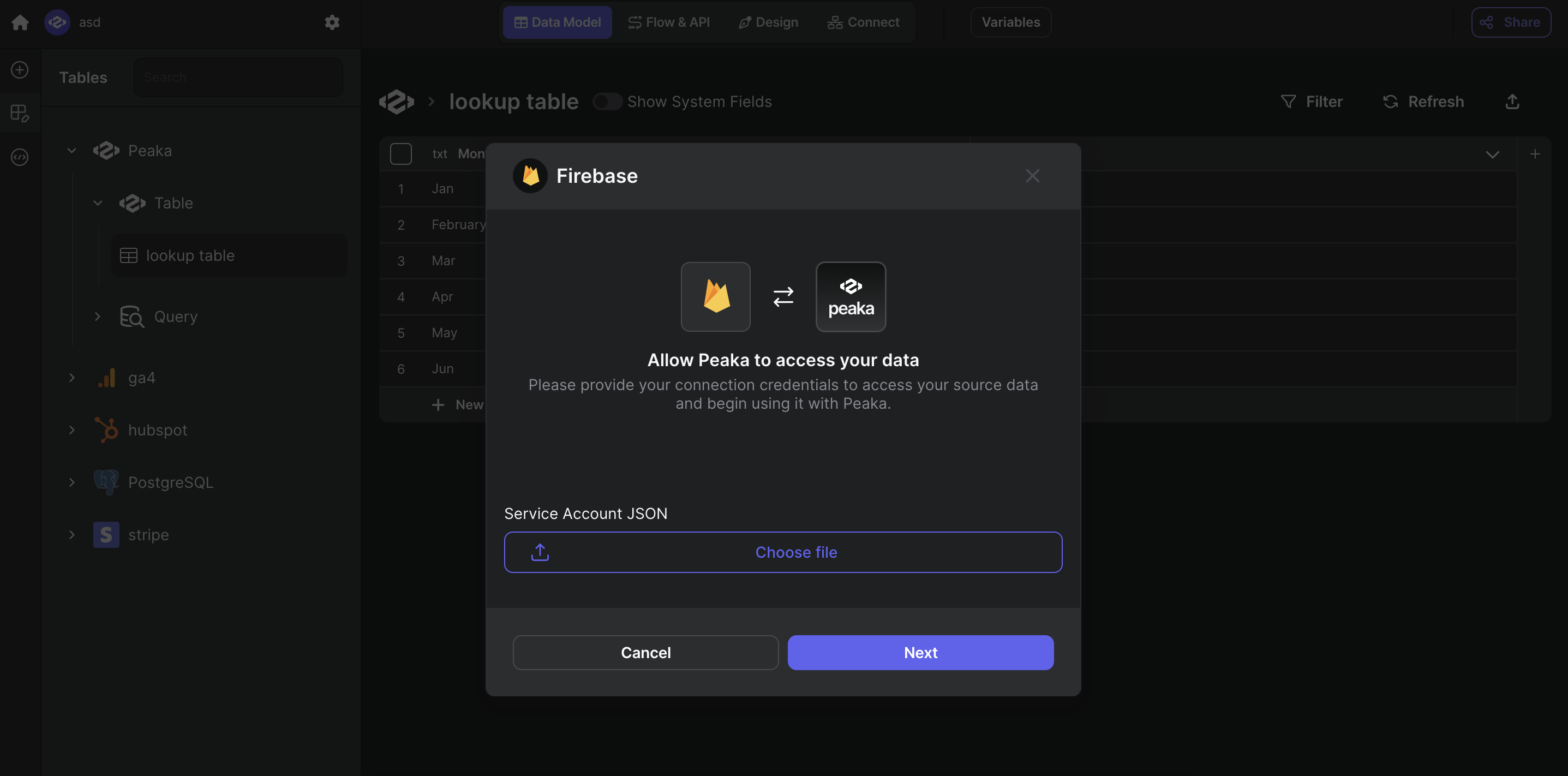
- Click "Next" to create your Firebase data source.
Congratulations! You've successfully connected Firebase to Peaka. You can now access and manage your Firebase data seamlessly within the Peaka platform.