Delete Organization

Learn how to delete an organization in Peaka.

This article explains how you can delete an organization in Peaka.

  1. Log in to your Peaka account.
  2. Click on the three-dots button (ellipsis icon) associated with the organization and click on the "Settings" option.
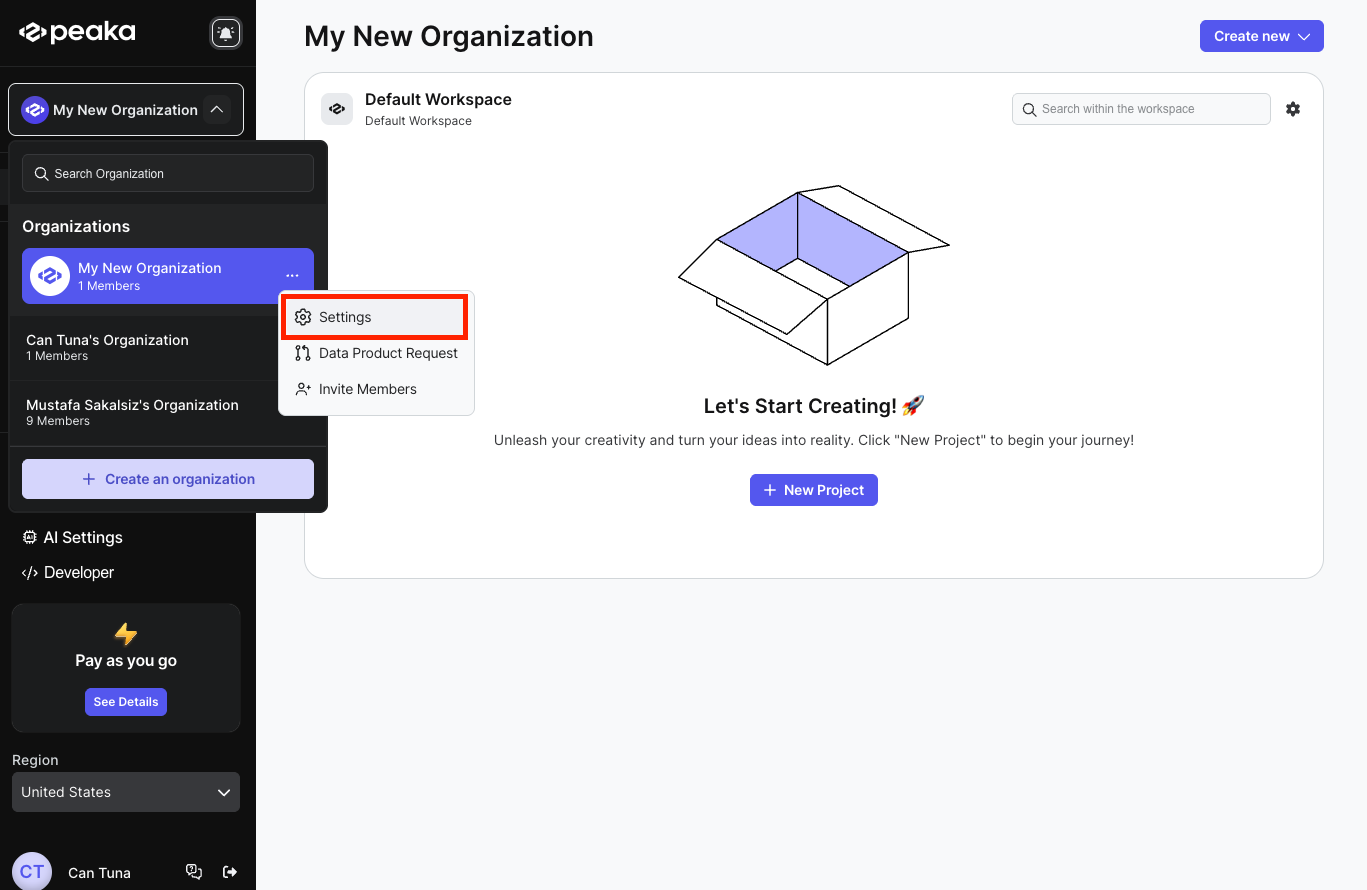
organization menu

  1. Click on the "Delete Organization" button.
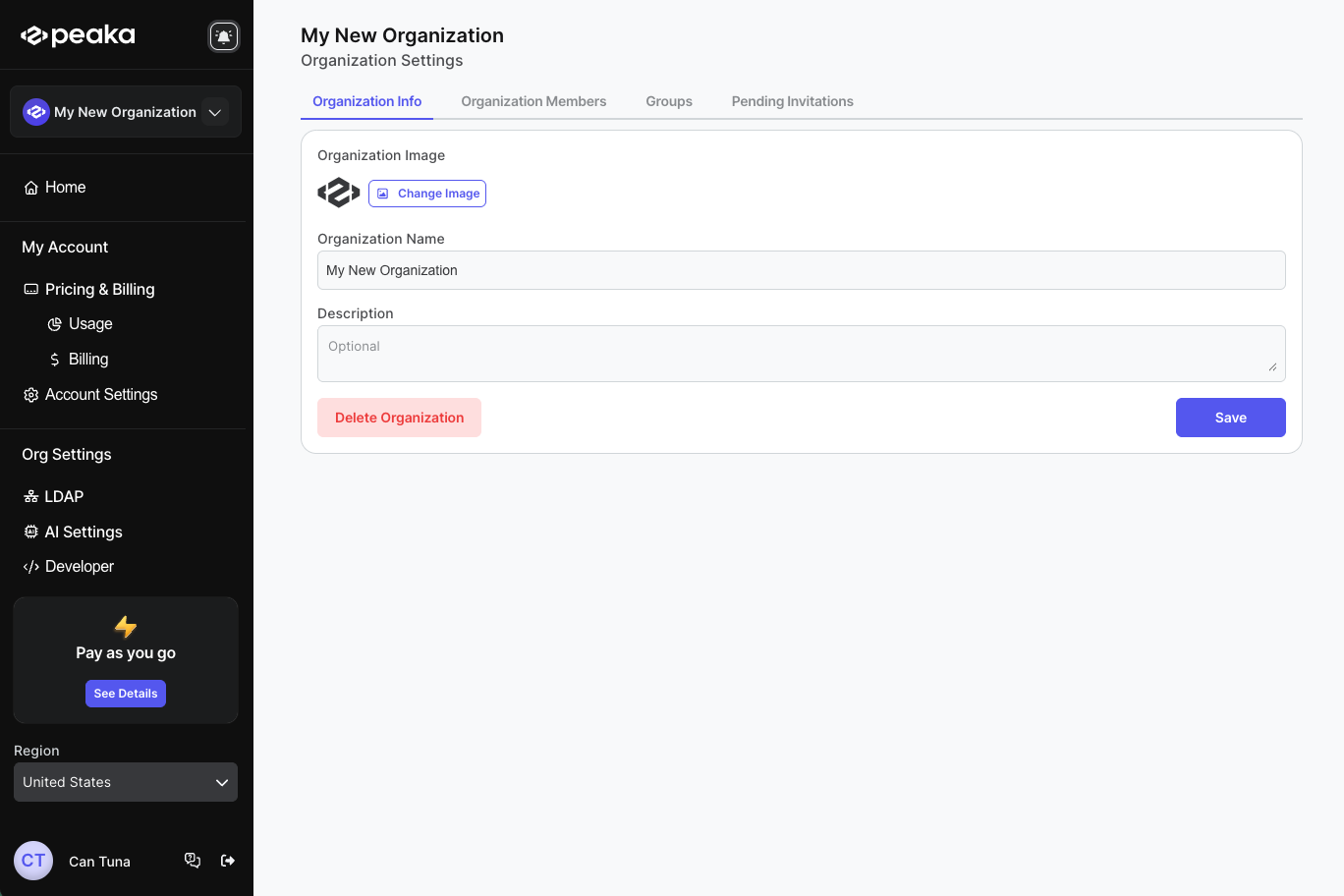
organization information

  1. Enter the organization name and click on the "Delete" button.
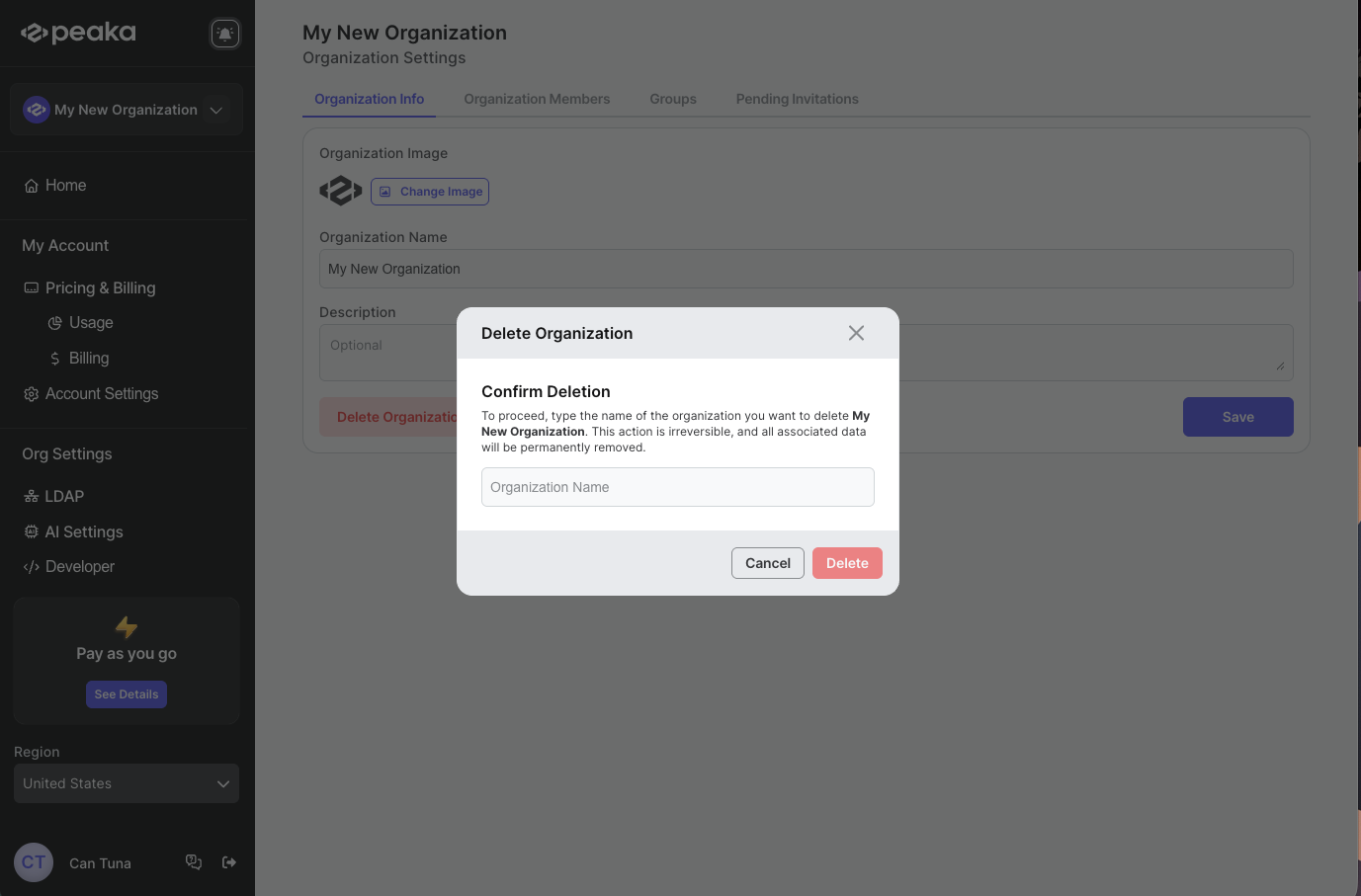
delete organization

That's it! Your organization will be deleted.

success-mail-img

You've joined our email list. Our newsletter will be delivered to your inbox every other week, with news from Peaka and the no-code world, as well as updates on the latest trends and developments in the data integration space!

success-mail-img

Thank you for your interest. We'll contact you soon.