This article explains how you can create an organization in Peaka.
- Log in to your Peaka account.
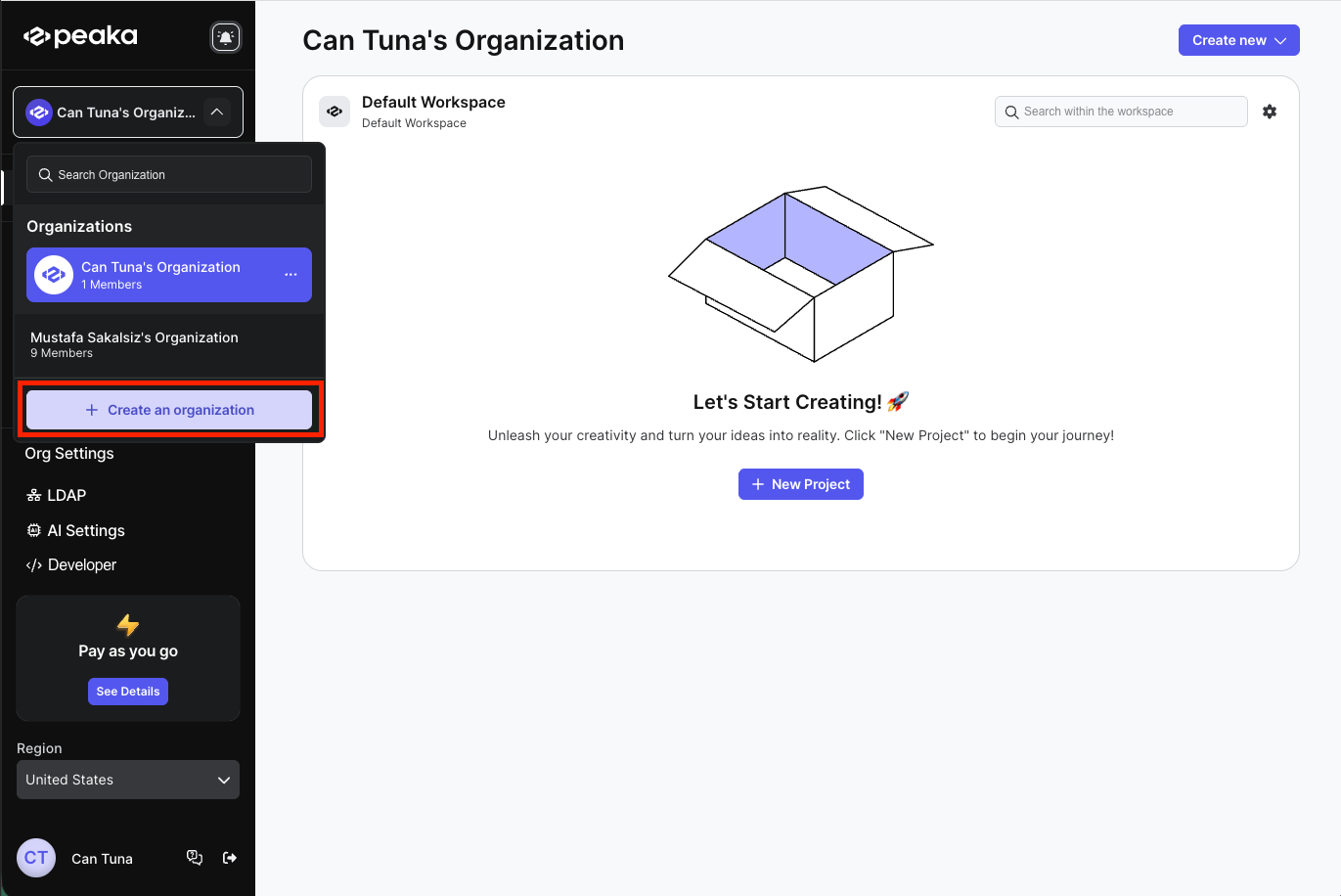
- Click on the "Create Organization" button.
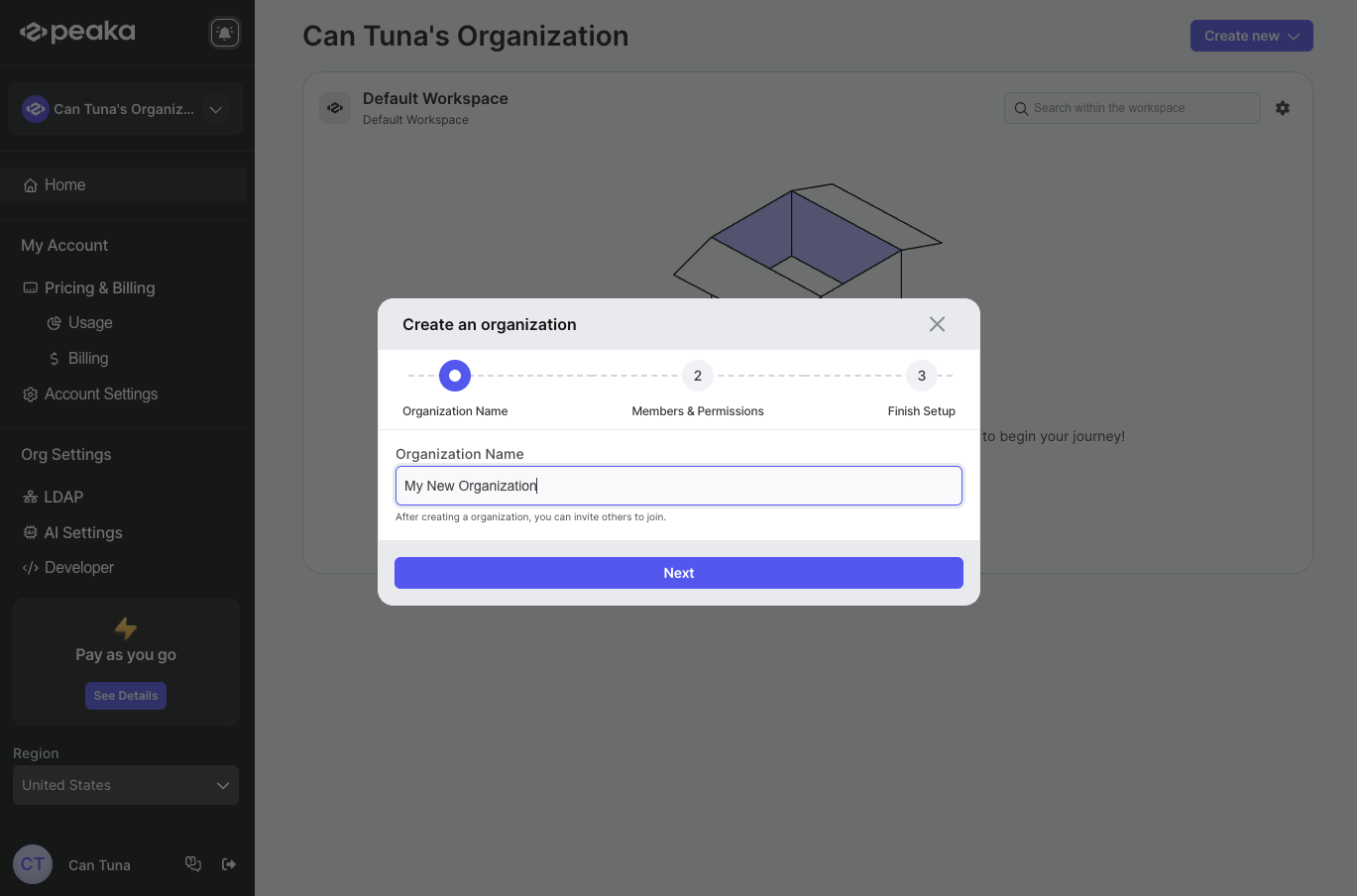
- Enter organization name and click on the "Next" button.
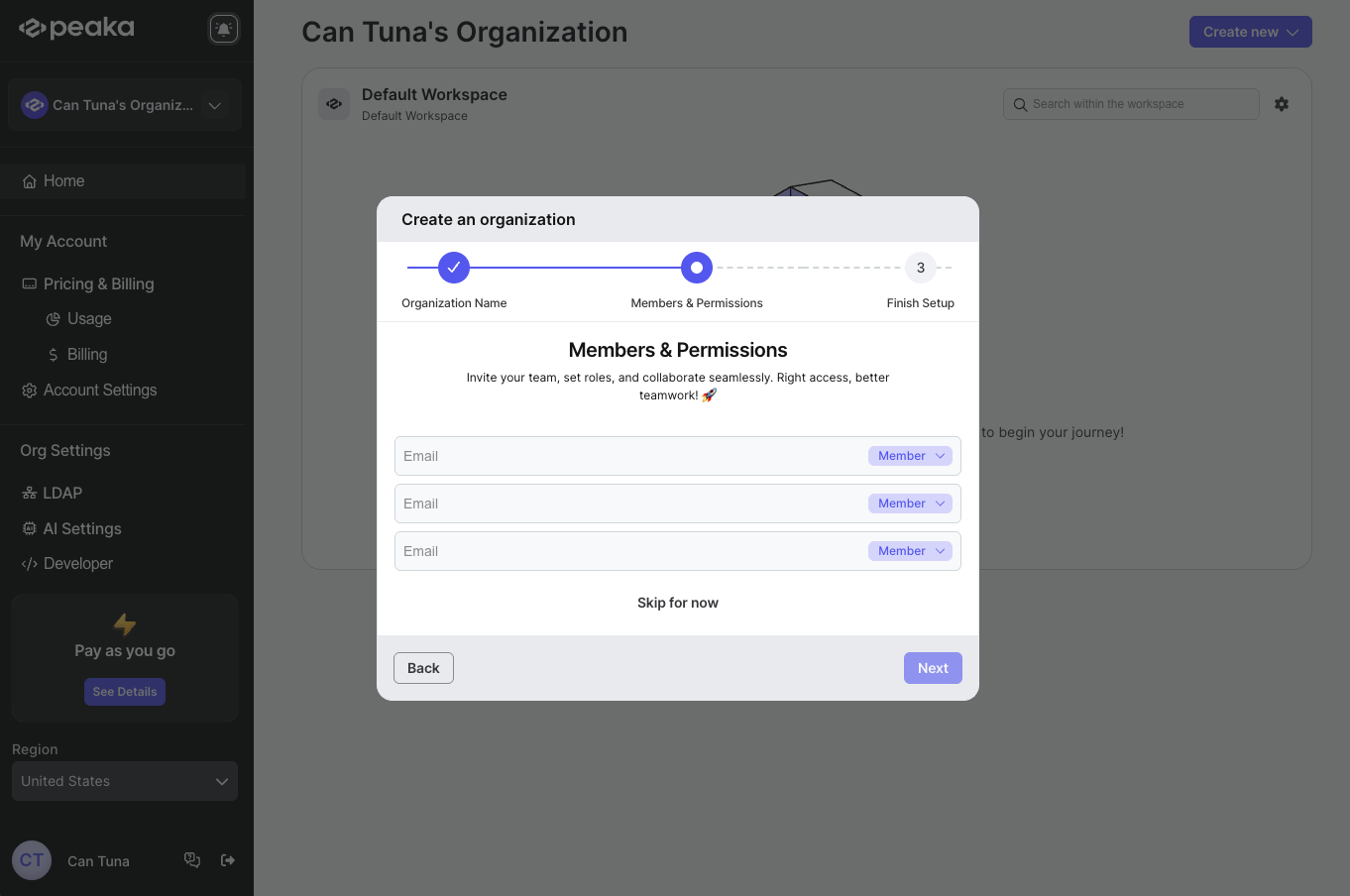
- If you want to add members to your organization, enter their email addresses and select their role from the dropdown menu and click on the "Next" button. If you don't want to add members, click on the "Skip for now" button.
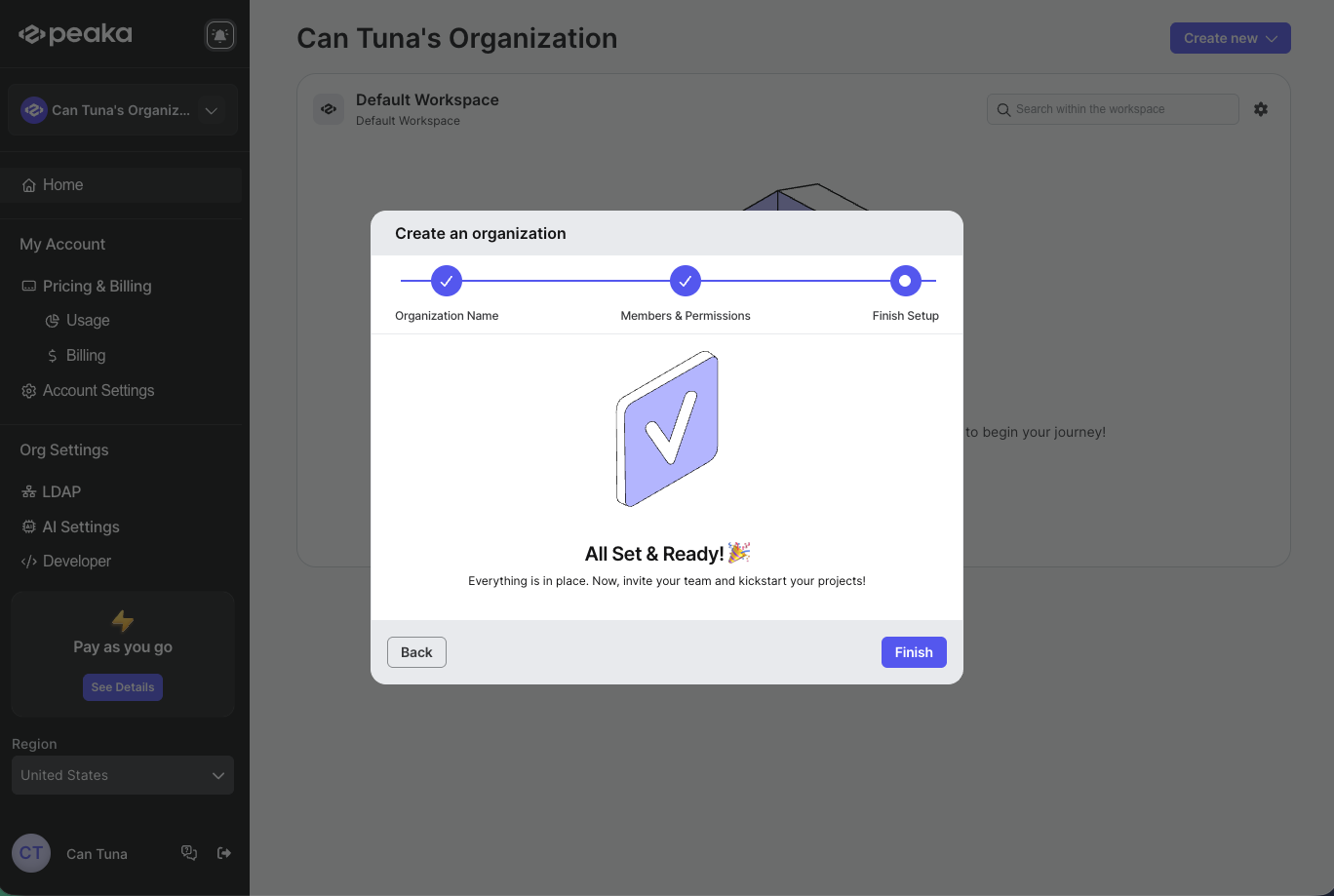
- Your organization will be created and click on the "Finish" button to go to the organization page.